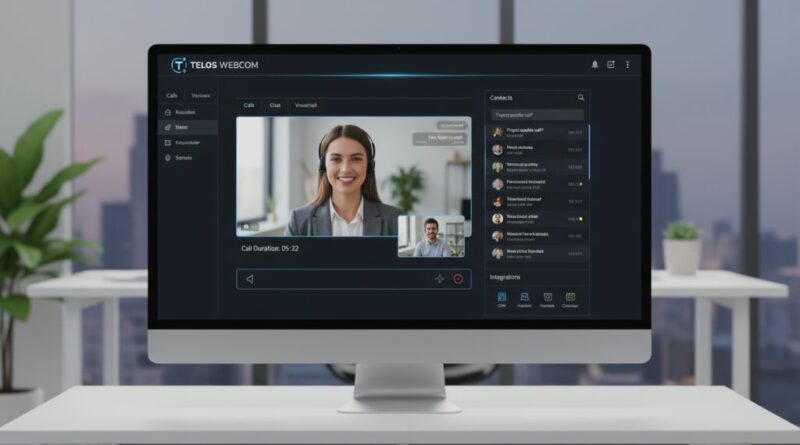
Browser SIP Clients: The Future of Business Telephony
For years, business telephony revolved around desk phones, proprietary VoIP handsets, and on-premise PBX hardware. That era is fading for many organisations. Browser-based SIP clients are an increasingly common way for teams to make and receive calls without installing apps, deploying hardware, or maintaining ageing desk phones.
Thanks to modern standards like WebRTC, SIP over WebSockets, and cloud-hosted PBX systems, organisations can now run calling directly inside the browser. The potential benefits are lower hardware costs, easier remote work, and more flexible deployment models.
In this article, we break down why browser SIP clients are gaining traction and how they compare to traditional softphones and desk devices.
From Desk Phones to Browser Softphones: What Changed?
Traditional SIP devices required:
- physical hardware
- local firmware
- manual provisioning
- on-site troubleshooting
- VPNs for remote users
This worked when teams sat in the same office. But as companies shifted to remote and hybrid models, rigid hardware became a burden.
Enter the browser SIP client — a thin, WebRTC-powered softphone that runs anywhere.
WebRTC now enables encrypted VoIP, video, and data channels directly in the browser, without plugins. The official WebRTC overview explains this shift clearly:
WebRTC Overview
Browser SIP clients leverage this technology to establish SIP sessions via WebSockets, inherit WebRTC’s encryption model, and communicate with PBX platforms dynamically.
How Browser SIP Clients Actually Work
A typical browser-based SIP client uses:
- WebRTC for media (audio, video, data)
- SIP over WebSockets (RFC 7118) for signalling
- STUN/TURN for NAT traversal
- DTLS-SRTP for encryption
- A cloud PBX or SBC as the call controller
Together, these standards produce a fully functional phone inside the browser, with good mobility and mandatory media encryption.
Full SIP-over-WebSocket specifications are provided by the IETF:
RFC 7118 – SIP Over WebSockets
Why Businesses Are Adopting Browser SIP Clients
1. Zero Installation, Less Maintenance
No client software to install, no handset provisioning, and no firmware updates for end users to chase; the browser updates itself.
Teams simply open a browser tab and start calling.
2. Remote Work Ready
Browser SIP clients use ICE with STUN/TURN to work across most home routers, hotspots, and mobile networks, which suits distributed teams.
3. Stronger Security by Default
Because WebRTC mandates encryption, browser SIP softphones avoid some of the risks associated with legacy SIP devices that send unencrypted RTP.
Stream’s guide to WebRTC security covers these points in more detail:
WebRTC Security Overview
4. Hardware-Free Cost Savings
Companies save on:
- desk phones
- handset replacements
- cabling
- PoE switches
- provisioning licences
For growing teams, this can add up, although headsets, gateway infrastructure and support still cost money.
5. Consistent, Cross-Platform UX
One interface works across:
- Windows
- macOS
- Linux
- iOS
- Android
- Chromebooks
Browser support is broad, but behaviour does differ between browsers and operating systems, so test the ones you use.
The Role of PBX and SBC Platforms
Cloud PBX and SIP platforms increasingly include native support for WebRTC endpoints. Asterisk, FreeSWITCH, and OpenSIPS all support WebRTC clients, so browsers can register much like other SIP devices.
For example:
- Asterisk WebRTC documentation outlines how to register browser peers securely
- FreeSWITCH supports SIP over WebSockets and WebRTC in its SIP stack (mod_sofia); it also offers an older, non-SIP alternative, mod_verto
- OpenSIPS offers WebSocket and WebRTC handling for SIP traffic
This ecosystem has enabled solutions like browser-based call centres, softphones, and embedded click-to-call widgets inside CRMs.
As an example, newer platforms such as Siperb integrate WebRTC into SIP environments to deliver low-latency browser softphones for PBX users.
Where Browser SIP Clients Still Face Challenges
Despite their benefits, browser SIP clients must contend with:
NAT and Firewall Complexity
Although ICE handles most traversal, restrictive enterprise networks often require TURN relays, which increases bandwidth costs.
Audio Device Permissions
Browsers require explicit user permission for microphones, which can confuse non-technical staff.
Tab Isolation and Browser Throttling
Browsers may throttle or suspend background tabs, so a call app has to be built carefully (for example keeping the audio connection active) to keep call quality steady.
SIP Interoperability Differences
Some legacy PBX platforms still struggle with WebSocket transports or DTLS-SRTP negotiation.
These issues have been easing as standards and implementations mature.
Future Trends: Where Browser SIP Clients Are Heading
Developments that are plausible, though not guaranteed, include:
- AI-assisted noise suppression in browser calling apps
- Progressive Web App (PWA) versions of softphones
- Browser-level echo cancellation improvements
- Full integration with mobile OS diallers
- Zero-touch onboarding via QR-based provisioning
As PBX systems modernise, the browser is becoming a common endpoint for business communication.
Conclusion
Browser-based SIP clients are an important shift in how teams communicate. They combine low overhead, high mobility, and mandatory WebRTC media encryption in a softphone that runs on most devices without hardware or installation, although the PBX side still needs WebRTC set-up.
For IT teams managing distributed workforces, this approach not only simplifies operations but helps unify telephony across devices and locations.
For more articles like this, visit SoftpageCMS.